Security defaults
Font, color, background, size, style and color-shortcut order.
 Request a demo →
C-MAP—Rainbow Secure’s Company Multidimensional Authentication Policy—is a built-in security layer that lets an organization define and enforce its approved dimensional defaults across authentication.

C-MAP is not branding and it is not optional decoration. It embeds the organization’s approved dimensional defaults and toolbar configuration into the authentication policy Rainbow Secure enforces.
C-MAP = Company Multidimensional Authentication Policy
The company defines its security defaults once; users then authenticate within that enforced organizational policy.
The organization controls the approved dimensions and formatting controls used in its authentication experience.
Font, color, background, size, style and color-shortcut order.
Approved defaults and permitted options are validated and applied consistently.
Users authenticate within the company’s enforced multidimensional policy.
Set the organization’s font color, background color, font name, font size, style and color-shortcut order. This demonstration does not save or enforce a real policy.
C-MAP POLICY STUDIO
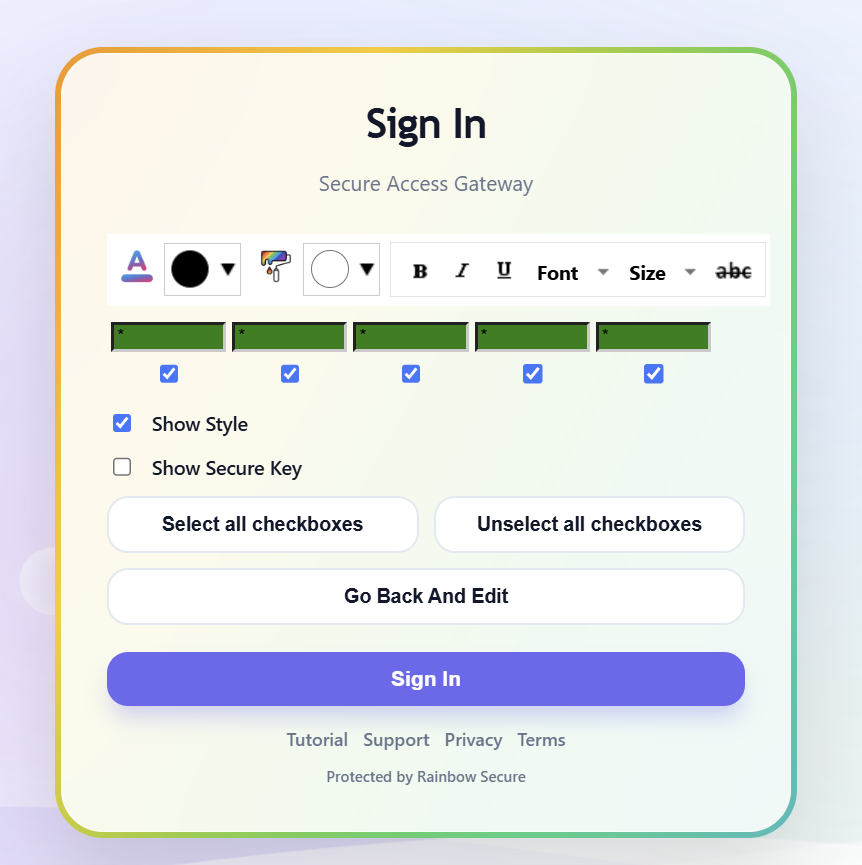
Rainbow Secure applies the company-defined font, colors, size, style and approved color-shortcut order across the organization’s authentication experience.
C-MAP does not depend on hiding the formatting toolbar. Its strength comes from company-controlled defaults, server-side validation and consistent policy application.
Protection does not depend on every user making perfect configuration choices.
The same company-controlled policy can be enforced across the organization.
Controlled defaults reduce weak or inconsistent authentication setup.
Update the organization’s multidimensional authentication design in one place.
Apply the baseline across users, groups and applications as deployment grows.
It is a company-controlled authentication policy for font color, background color, font name, font size, style and toolbar configuration.
C-MAP gives the organization a controlled multidimensional sign-in baseline that can help users recognize when an authentication experience does not match expectations.
Explore how Rainbow Secure can establish and enforce a Company Multidimensional Authentication Policy across your organization.