
Login failure
THREAT DETECTION & ALERTS
Detect suspicious access—and decide what happens next.
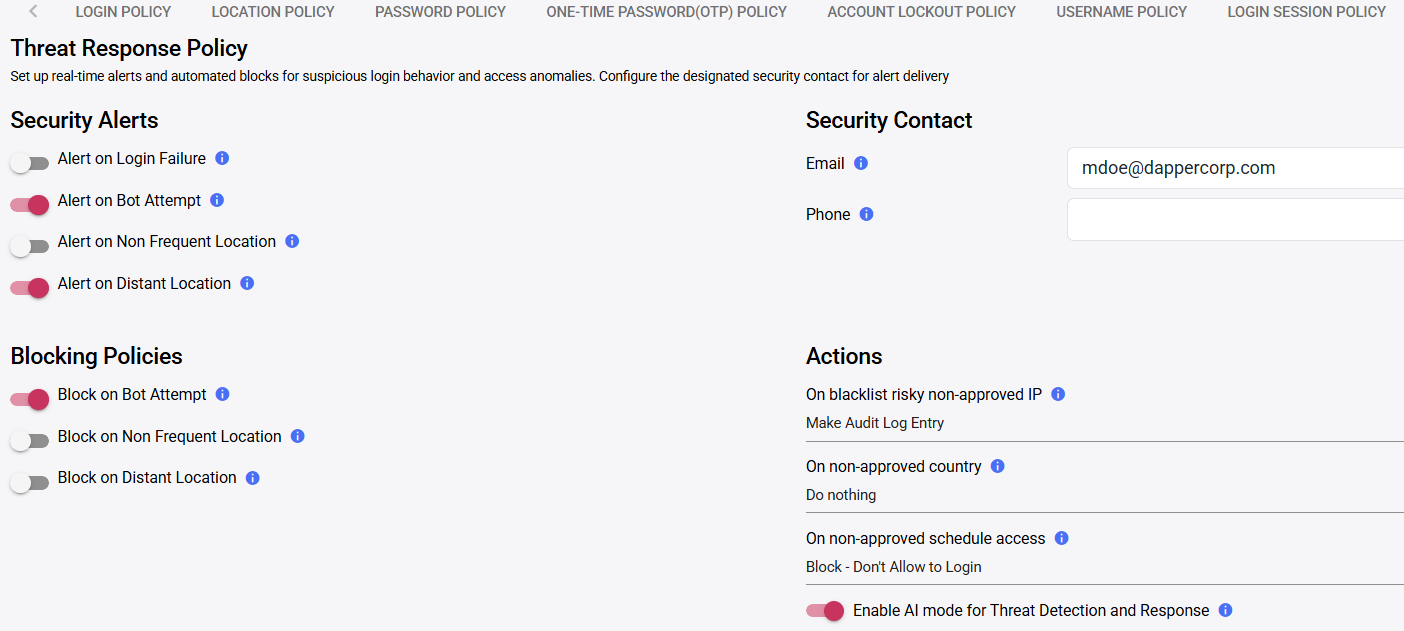
Rainbow Secure Threat Response Policy lets security teams configure alerts, selected blocking actions and designated security contacts for suspicious login behavior and access anomalies.
FROM SIGNAL TO RESPONSE
An anomaly matters only when the right people and policy can act.
Rainbow Secure separates detection from response. Administrators choose which conditions create alerts, which selected conditions can trigger blocking, who receives notification and what action is recorded.
Detect
Authentication anomaly
→
Evaluate policy
Alert · log · block · no action
→
Respond
Security contact and evidence
Focus response on the identity conditions that matter to your organization.
Bot attempt
Non-frequent location
Distant location
Risky non-approved IP
Non-approved country
Access outside an approved schedule
POLICY ACTIONS
Not every event requires the same outcome.
One condition may create an alert, another may be logged for review, and a higher-confidence risk may justify blocking. Policy should balance security consequence with the risk of interrupting legitimate users.
Alert
Notify the configured security contact
Audit entry
Record the event for later review
IP action
Blacklist a risky non-approved source where configured
Block login
Prevent access for selected country or schedule conditions
INVESTIGATION EVIDENCE
Review privileged activity after a high-impact signal.
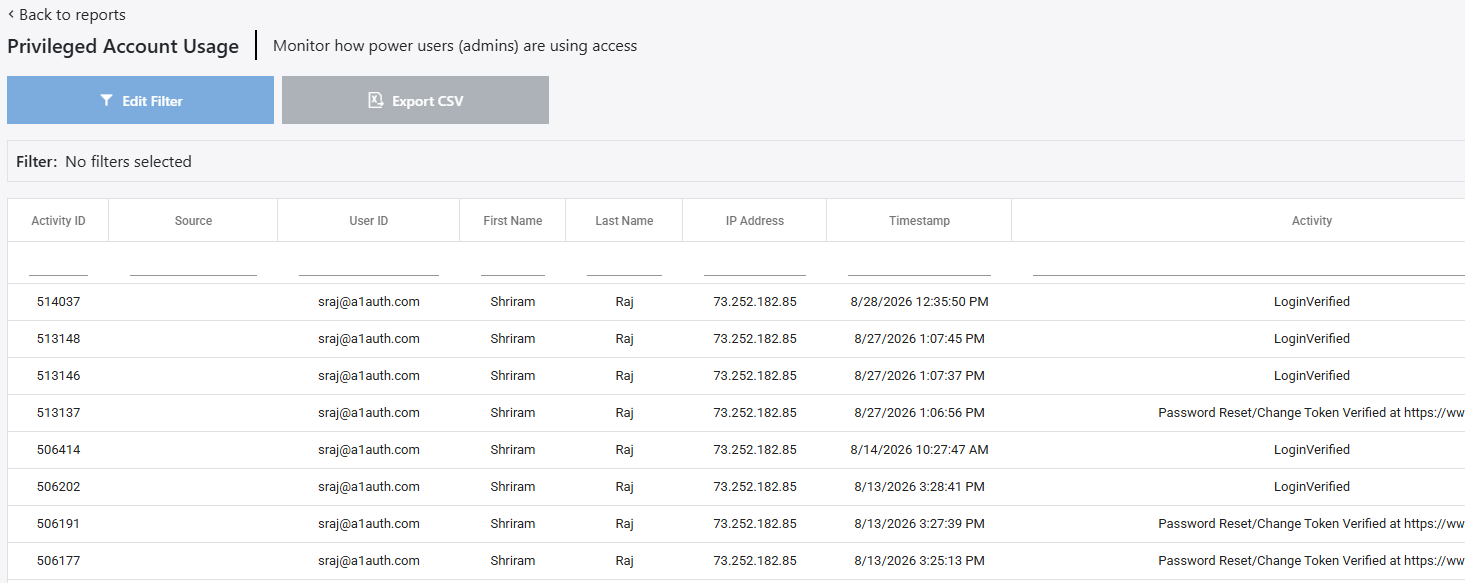
For administrators and power users, the Privileged Account Usage report provides identity, source IP, timestamp and activity context for follow-up and export.
- Filter the report to the relevant scope
- Review named user and source IP
- Compare event timestamps and actions
- Export authorized evidence for investigation
Configure safely before enabling automated action.
-
01
Select the signal
Identify the anomaly and required confidence.
-
02
Choose the action
Alert, log, block or take no automated action.
-
03
Assign the contact
Confirm who receives and owns the notification.
-
04
Test exceptions
Validate travel, shared networks and expected operational behavior.
PROTECTION IN ACTION
Related threat protection
AI & Automated Bots
Automated attacks can scale quickly, so protection must combine meaningful interaction with detection and configured response.
- Identify abnormal failure and request patterns
- Alert or block according to approved policy
- Preserve activity evidence for investigation and tuning
Define which signals alert, which block, and who owns the next action.
Use a guided demonstration to map policy to your users, applications, geographies and security operations.
Threat indicators and automated responses depend on available context and approved policy configuration. False positives are possible; organizations should test exceptions, recovery and operational ownership before enabling blocking broadly.